 by
by Introduction
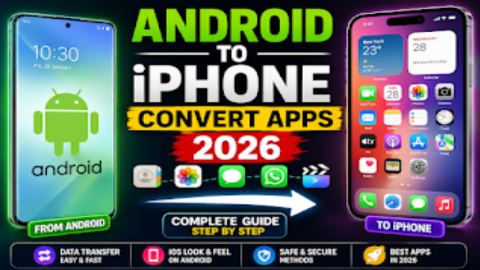
Have you ever wanted to make your Android phone look like an iPhone without actually buying an iPhone?
The good news is that you can give your Android smartphone an iPhone-style look by installing an iOS-style launcher. A launcher changes the appearance and organization of your Android home screen, including app icons, folders, wallpapers, app drawer layout, animations, and other visual elements.
In 2026, several iOS-style launchers are available on Google Play. One of the better-known options is Launcher iOS 26 by LuuTinh Developer, which advertises an iPhone-inspired home screen, Control Center-style features, quick access tools, and customizable wallpapers. Its current Google Play listing shows 10M+ downloads.
However, it’s important to understand that an Android launcher does not actually install iOS on an Android phone. It simply changes the Android interface to make it look and feel more like an iPhone.
In this complete guide, we’ll explain how to convert Android into an iPhone in 2026, which apps you can use, how to install and configure an iOS launcher, how to change icons and wallpapers, and what you should know before giving an app special permissions.
What Is an iPhone Launcher for Android?
An iPhone launcher is an Android application that changes the appearance of your phone’s home screen to resemble Apple’s iPhone interface.
Depending on the launcher, you may get features such as:
- iPhone-style home screen
- iOS-inspired icons
- App Library-style organization
- iPhone-style wallpapers
- Search gestures
- iOS-style widgets
- Control Center-style panel
- Custom icon layouts
- iOS-inspired animations
- Lock-screen customization
- Assistive Touch-style shortcuts
The exact features depend on the launcher you install.
For example, Launcher iOS 26 by LuuTinh Developer advertises an iOS-inspired interface, Control Center, quick-access functionality, and customizable wallpaper.
Can You Really Convert Android Into an iPhone?
Not completely.
You can make the Android interface look similar to an iPhone, but you cannot turn the Android operating system into Apple’s actual iOS through a launcher.
An Android launcher changes the visual interface while Android continues running underneath.
That means:
Android hardware + Android operating system + iOS-style launcher = iPhone-style Android experience
You won’t actually get Apple’s iOS operating system or exclusive Apple applications simply by installing a launcher.
Best iOS Launcher Apps for Android in 2026
There are several applications on Google Play that provide iPhone-inspired designs.
1. Launcher iOS 26 – LuuTinh Developer
Launcher iOS 26 is one of the most established options in this category.
Its current Google Play listing reports:
- 10M+ downloads
- 4.7-star rating
- iPhone-inspired interface
- Control Center-style functionality
- Quick-access features
- Customizable wallpapers
The listing also shows that the app contains ads.
For someone who mainly wants an iPhone-like home screen, this is one of the options worth checking.
2. Launcher iOS-Style – iApple Studio
Another option is Launcher iOS-Style.
Its Google Play listing advertises features including:
- iOS-style home screen
- App Library-style organization
- A–Z app search
- Universal search
- Icon packs
- Smart folders
- Customizable grid
- iOS-style icon shapes
- Wallpapers
- Light and dark modes
The listing says it works on most Android devices running Android 8.0 or later, although individual features can vary by device.
3. Launcher iOS 26 – Winter Cream
Another current Google Play option is Launcher iOS 26 by Winter Cream.
Its listing advertises:
- iOS-style themes
- Wallpapers
- Icon customization
- Widgets
- Customizable home screen
- Lock-screen customization
- Gesture features
The listing was updated on August 20, 2026.
Because multiple apps use similar names, always check the developer name and current Play Store information before installing one.
How to Convert Android Into iPhone in 2026
Now let’s look at the complete setup process.
Step 1: Open Google Play Store
First, unlock your Android phone and open:
Google Play Store
Using Google Play is preferable to downloading a launcher from an unknown APK website.
Step 2: Search for an iOS Launcher
Search for:
Launcher iOS 26
You can also search for:
Launcher iOS-Style
Look carefully at the developer name and app information before installing.
For example, the current Play Store listing for Launcher iOS 26 identifies LuuTinh Developer as the developer.
Step 3: Install the Launcher
After selecting the launcher you want, tap:
Install
Wait until Android finishes downloading and installing the application.
Step 4: Open the Launcher
Once installation is complete, tap:
Open
The launcher will normally show you an introduction or setup screen.
Follow the instructions displayed by the app.
Step 5: Set the Launcher as Default
Some launchers will ask you to make them your default home application.
Android may show an option similar to:
Default Home App
or:
Home App
Select your installed iOS-style launcher if you want it to appear whenever you press the Home button.
The exact steps vary between Samsung, Xiaomi, Infinix, Tecno, OPPO, Vivo, and other Android phones.
Step 6: Customize the Home Screen
After setting the launcher as default, your Android home screen should change.
You may see:
- iPhone-style icons
- iOS-style folders
- Different app arrangement
- New wallpaper
- Different search behavior
- iOS-inspired widgets
You can then customize the layout according to your preference.
How to Make Android Icons Look Like iPhone
Many iOS-style launchers automatically apply iPhone-inspired icon designs.
If the launcher supports icon customization:
- Open launcher settings.
- Find Icon or Icon Style.
- Choose an iOS-style icon pack or theme.
- Adjust the icon size.
- Adjust the grid.
- Apply the changes.
Some launchers also support third-party icon packs.
For example, Launcher iOS-Style advertises support for icon packs and iOS-like icon shapes.
How to Get an iPhone-Style Home Screen
The home screen is one of the biggest parts of the iPhone look.
After installing the launcher, customize:
Icon Layout
Choose a grid that resembles the arrangement you prefer.
Dock
Configure the bottom dock if your launcher provides this option.
Wallpaper
Choose a suitable wallpaper.
App Organization
Arrange frequently used applications on the first screen.
Folders
Create folders for applications such as:
- Social
- Games
- Tools
- Education
- Photography
How to Add iPhone-Style Wallpapers
Many iOS-style launchers include wallpapers.
To change your wallpaper:
- Long-press an empty area of the home screen.
- Open Wallpaper or Personalization.
- Select a wallpaper.
- Preview it.
- Apply it to the home screen.
You can also use wallpapers from your phone’s existing gallery.
How to Get iPhone-Style Control Center
Some iOS-style launcher applications also provide a Control Center-style panel.
For example, Launcher iOS 26 by LuuTinh Developer advertises a Control Center feature inspired by Apple’s interface.
The setup may require additional permissions depending on the launcher.
If an app asks for Accessibility or other powerful permissions, read the explanation carefully before enabling them.
Only grant permissions that you understand and are comfortable with.
What Is Accessibility Permission?
Some launchers use Android’s Accessibility APIs to provide system-like actions or gestures.
Depending on the app, this may be used for functions such as:
- Home
- Back
- Recent apps
- Lock screen
- Control Center
- Assistive Touch
- Other launcher shortcuts
For example, current iOS-style launcher listings describe Accessibility access being used for certain navigation and interface functions.
Because Accessibility access can be powerful, don’t automatically grant it to every launcher you find online.
How to Get iPhone-Style Search on Android
Some iOS-style launchers include a swipe-down search feature.
This can allow you to quickly search:
- Apps
- Contacts
- Settings
- Files
Launcher iOS-Style, for example, advertises swipe-down universal search.
If your selected launcher includes this feature, open its settings and configure the search gesture.
How to Add iPhone-Style Widgets
Some iOS-style launchers provide widget support.
You may be able to add:
- Clock
- Calendar
- Weather
- Notes
- Battery information
- Shortcuts
The available widgets depend on the launcher and your Android device.
Can Android Get Dynamic Island With a Launcher?
Some Android applications can imitate the visual appearance of Apple’s Dynamic Island.
However, this is only a visual simulation or overlay.
It does not turn the Android phone’s hardware or operating system into an actual iPhone.
If you use a feature like this, review the permissions requested by the application before enabling it.
How to Make Android Look More Like an iPhone
If you want a more complete iPhone-style appearance, change several things together:
1. Install an iOS-Style Launcher
This changes the main home-screen experience.
2. Apply iOS-Style Icons
Use the launcher’s built-in icon theme or a compatible icon pack.
3. Change the Wallpaper
Choose an iPhone-inspired wallpaper.
4. Customize the Dock
Arrange your frequently used applications.
5. Use iOS-Style Widgets
Add a clock, calendar, weather, or other supported widget.
6. Customize Search
Enable the launcher’s search gesture if available.
7. Configure Optional Interface Features
Only enable Control Center, Assistive Touch, or other advanced features when you understand the permissions they require.
Does an iOS Launcher Delete Android Apps?
No.
Installing an iOS-style launcher normally doesn’t delete your existing applications.
Your apps remain installed on your Android phone.
The launcher simply changes how you access and organize them.
Will an iOS Launcher Delete My Photos?
A normal launcher should not need to delete your personal photos.
However, always review the permissions requested by any application before installation.
If an app asks for access that doesn’t seem necessary for its advertised functionality, consider choosing another app.
Does an iOS Launcher Make Android Faster?
Not necessarily.
A launcher mainly changes the interface.
Performance can vary depending on:
- Your phone’s hardware
- Android version
- Launcher design
- Animations
- Widgets
- Background activity
- Number of installed apps
Some launchers may feel smooth on one phone and less responsive on another.
Does an iOS Launcher Drain Battery?
It can vary.
A simple launcher may have little noticeable effect, while a launcher using animations, live wallpapers, widgets, overlays, or background services could use additional resources.
If you notice unusual battery drain:
- Check battery usage.
- Reduce animations.
- Remove unnecessary widgets.
- Disable unnecessary background features.
- Try a lighter launcher.
Is It Safe to Download iPhone Launcher APKs?
The safest option is generally to install apps through Google Play and check the developer, permissions, reviews, and data-safety information.
Avoid random APK websites offering:
- MOD APK
- Premium unlocked
- No ads
- Cracked version
- Unlimited features
A modified APK may not be the same application as the official Play Store version.
How to Remove an iPhone Launcher
If you decide you don’t like the iPhone-style interface, you can switch back to your normal launcher.
Generally:
- Open Settings.
- Search for Default apps.
- Open Home app or Default home app.
- Select your phone’s original launcher.
The exact menu differs between Android manufacturers.
You can then uninstall the iOS-style launcher if you no longer want it.
How to Convert Android Back to Normal
You don’t need to reset your phone.
Simply change the default Home app back to your original launcher.
Your installed applications and personal files should remain available.
iOS Launcher vs Real iPhone
| Feature | Android + iOS Launcher | Real iPhone |
|---|---|---|
| iOS-style appearance | Yes | Yes |
| Android OS | Yes | No |
| Apple iOS | No | Yes |
| Android apps | Yes | No |
| iPhone-style icons | Yes | Yes |
| iPhone hardware | No | Yes |
| App Store | Google Play | Apple App Store |
| Customization | Often higher | Different approach |
| Apple-exclusive features | No | Yes |
The main benefit of an iOS launcher is that you can enjoy an iPhone-inspired appearance while keeping your Android phone and Android applications.
Advantages of Using an iOS Launcher
iPhone-Style Design
You can change your Android interface to resemble an iPhone.
Easy Installation
Most launchers can be installed directly from Google Play.
Customization
You can often change icons, wallpapers, widgets, and layouts.
No Need to Buy an iPhone
You can experiment with the iPhone-style interface using your existing Android device.
Easy to Remove
If you don’t like the launcher, you can switch back to your original Android launcher.
Disadvantages of iOS Launchers
It Isn’t Real iOS
The phone remains an Android device.
Advertisements
Some free launchers contain ads. For example, the current Google Play listing for Launcher iOS 26 by LuuTinh Developer indicates that it contains ads.
Permissions
Some advanced features may require additional permissions.
Performance Differences
The experience can vary depending on your Android device.
Not Every iPhone Feature Is Available
A launcher cannot reproduce Apple’s entire operating system or hardware features.
Tips Before Installing an iOS Launcher
Check the Developer
Don’t install an application just because its name contains “iOS.”
Read Recent Reviews
Look for recent user feedback rather than relying only on the overall rating.
Review Permissions
Pay attention to Accessibility, notification, overlay, or other sensitive permissions.
Keep Your Phone Updated
Use the latest Android security updates available for your device.
Avoid Modded APKs
Use official app stores whenever possible.
Frequently Asked Questions
Can I turn my Android phone into an iPhone?
You can make your Android phone look and feel more like an iPhone using an iOS-style launcher, but you cannot install Apple’s actual iOS operating system on a normal Android phone through a launcher.
Which is the best iPhone launcher for Android in 2026?
One current option is Launcher iOS 26 by LuuTinh Developer, which has a large Google Play download base and offers an iPhone-inspired interface. Your best choice can depend on the features and permissions you’re comfortable with.
Is Launcher iOS 26 free?
The current Google Play listing is available to install and indicates that it contains ads.
Will an iOS launcher change my Android operating system?
No. It changes the launcher and visual interface while Android remains the operating system.
Can I remove the launcher later?
Yes. You can switch your default Home app back to the original Android launcher and uninstall the third-party launcher if you no longer want it.
Can I get iPhone icons on Android?
Yes. Many iOS-style launchers include iPhone-inspired icons or support icon customization.
Can I get an iPhone-style Control Center?
Some launchers provide a Control Center-style feature. The available functionality varies by app and may require additional permissions.
Will the launcher delete my apps?
No. A launcher changes the home-screen interface; it isn’t intended to delete your installed applications.
Does an iOS launcher require root?
Generally, no. Standard Android launchers can be installed without rooting the phone.
Can I use an iOS launcher on Samsung, Xiaomi, Infinix, Tecno, Vivo, or OPPO?
Many Android launchers work across different manufacturers, but features can vary depending on the Android version and device.

Conclusion
If you want to convert your Android phone into an iPhone-style phone in 2026, you don’t need to replace your device. An iOS-style launcher can change the home screen, icons, wallpapers, app organization, search, and other interface elements to create an iPhone-inspired experience.
One current option is Launcher iOS 26 by LuuTinh Developer, while Launcher iOS-Style by iApple Studio is another option with features such as App Library-style organization, universal search, icon customization, and smart folders.
Remember that these applications do not install real iOS. Your phone continues to run Android, and the launcher simply provides a different interface.
For the best experience, download your launcher from Google Play, check the developer and recent reviews, review permissions carefully, and avoid modified APK files from unknown websites.
With the right launcher, wallpaper, icons, widgets, and layout, you can give almost any compatible Android phone a clean iPhone-inspired look while keeping the flexibility of Android.