 by
by Prompt
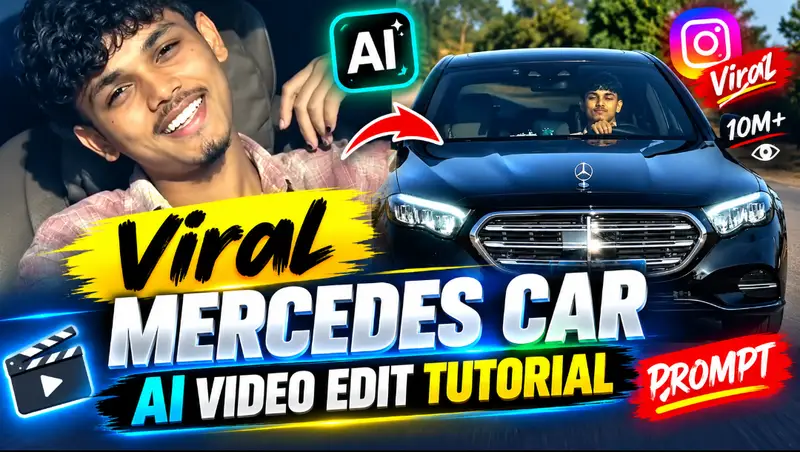
AI-generated videos are becoming one of the biggest trends on TikTok, Instagram Reels, Facebook Reels, and YouTube Shorts. One trend getting a lot of attention is the Viral Mercedes Car Boys AI Video, where an ordinary photo is transformed into a premium, cinematic Mercedes car scene.
In this complete tutorial, you will learn how to create a viral Mercedes car AI video, how to prepare your photo, how to write the right AI prompt, and how to make the final result look realistic and cinematic.
The best part is that you don’t need professional video-editing skills. With a good photo, an AI video generator, and the prompts provided below, you can create impressive car videos directly from your phone or computer.
What Is the Viral Mercedes Car Boys AI Video Trend?
The Mercedes Car Boys AI trend is a style of AI-generated video in which a normal photo of a boy or man is transformed into a luxury automotive scene.
Depending on the prompt, the person may appear standing beside a Mercedes-Benz, walking toward the vehicle, opening the car door, getting out of the car, or posing confidently next to it.
The AI adds cinematic lighting, realistic movement, reflections, shadows, luxury surroundings, and camera effects to make the scene look like it was recorded professionally.
These videos work especially well in short vertical formats because the final result can look like a luxury lifestyle commercial.
What Do You Need?
You only need a few things to start:
- A clear photo of yourself or your character
- An AI image or video generation tool
- A detailed Mercedes car AI prompt
- A video editor for final adjustments
- A vertical 9:16 project for TikTok, Reels, or Shorts
For the best results, choose a photo where the face and body are clearly visible. Avoid extremely blurry, dark, cropped, or low-resolution photos.
Step 1: Select a High-Quality Photo
Your original image has a major impact on the final AI video.
Use a clear photo with natural lighting and a visible face. A full-body or three-quarter-body image is usually better for scenes involving a car because the AI has enough visual information to create natural interaction between the person and vehicle.
If possible, avoid photos where hands, legs, or large parts of the body are hidden.
The goal is to give the AI a clean reference while preserving the person’s original identity.
Step 2: Create the Mercedes AI Scene
You can first transform your normal photo into a cinematic Mercedes scene using an AI image generator.
The prompt should clearly explain the car model, environment, lighting, clothes, pose, composition, and desired realism.
Mercedes Car AI Image Prompt
Prompt:
“Create an ultra-realistic cinematic photograph of the same young man from the reference image standing confidently beside a luxurious black Mercedes-Benz. Preserve his exact facial identity, facial structure, hairstyle, skin tone, and overall appearance. He is wearing a stylish premium black outfit with clean modern shoes. The Mercedes is polished and highly detailed with realistic reflections on the body and windows. Place the scene on a premium modern city street at night with luxury buildings, subtle street lights, and cinematic atmospheric lighting. Natural body proportions, realistic hands, realistic shadows, professional automotive photography, DSLR quality, shallow depth of field, dramatic but natural lighting, detailed skin texture, realistic fabric texture, premium commercial look, photorealistic, high detail, vertical 9:16 composition.”
This type of prompt gives the AI enough information to understand the overall visual style.
Step 3: Turn the Image Into an AI Video
Once your image is ready, upload it to an AI image-to-video generator.
Instead of asking the AI to completely redesign the scene, describe only the movement you want to happen. This generally gives you better consistency.
For example, you can make the person walk toward the Mercedes, open its door, stand beside it, or slowly turn toward the camera.
Viral Mercedes Car AI Video Prompt
Copy this prompt:
“Animate this image into an ultra-realistic cinematic luxury car video. The young man naturally walks toward the Mercedes-Benz with confident and realistic body movement. He reaches the driver’s side of the vehicle and naturally places his hand on the door handle. Keep his original face, identity, hairstyle, clothes, body proportions, and appearance completely consistent throughout the entire video. The Mercedes must remain realistic and structurally consistent. Add natural clothing movement, subtle reflections across the polished car body, realistic environmental lighting, physically accurate shadows, and smooth human motion. Premium automotive commercial quality, cinematic realism, highly detailed, natural movement, realistic physics, no face distortion, no extra fingers, no body deformation, no vehicle deformation, no sudden scene changes. Vertical 9:16.”
Mercedes Car Door Opening AI Prompt
If you specifically want the character to open the Mercedes door, use this prompt:
“The man confidently walks toward the Mercedes-Benz, reaches the driver’s door, naturally grabs the door handle and slowly opens the car door. His movement is smooth, realistic and physically accurate. Preserve the exact original face and identity throughout the shot. Keep the Mercedes design completely consistent. Natural hand interaction with the door handle, realistic reflections, realistic shadows, premium cinematic lighting, luxury automotive advertisement style, highly photorealistic, no body distortion and no car deformation.”
Mercedes Car Exit Video Prompt
Another popular version shows the character getting out of the Mercedes.
Use:
“Create a realistic cinematic scene where the Mercedes-Benz is parked elegantly and the driver’s door opens naturally. The same man from the reference image smoothly steps out of the Mercedes, stands beside the vehicle and looks confidently toward the camera. Preserve his exact facial identity, hairstyle, clothes and body proportions. His movements must look natural and realistic. Maintain accurate Mercedes vehicle geometry, realistic reflections and physically correct interaction with the car. Premium luxury commercial atmosphere, cinematic lighting, realistic shadows, professional automotive photography style, ultra-realistic video.”
Luxury Mercedes Walking Scene Prompt
For a simpler video:
“The same young man walks confidently beside a luxury Mercedes-Benz while maintaining his exact facial identity and appearance. His walking movement is natural and realistic. The Mercedes remains parked in the background with realistic reflections and premium detailing. Add subtle cinematic environmental movement, realistic shadows and luxury commercial lighting. Keep the character consistent throughout the entire shot. Ultra-realistic cinematic automotive advertisement, premium DSLR look, natural skin details, realistic clothing physics, smooth movement.”
Static Camera Mercedes AI Prompt
AI tools sometimes add too much zooming or unnecessary camera movement. If you want a stable video, use this version:
“Keep the camera completely static and locked in position throughout the entire video. No zoom, no pan, no tilt, no camera shake and no camera movement. The young man naturally walks toward the Mercedes-Benz and stands beside the vehicle. Preserve his exact original face, hairstyle, body proportions and clothes. The Mercedes must remain completely consistent and realistic. Only the person and natural environmental elements should move. Realistic shadows, reflections and human movement. Premium cinematic luxury car commercial quality, photorealistic and highly detailed.”
How to Make the AI Video Look More Realistic
One of the biggest mistakes in AI video generation is requesting too many actions in a single short clip.
For example, asking the character to walk toward the car, open the door, enter the vehicle, start driving, drift around a corner, and then get out again within a few seconds can cause visual errors.
Instead, divide the sequence into individual scenes.
Scene 1: Boy standing beside the Mercedes.
Scene 2: Boy walking toward the Mercedes.
Scene 3: Boy opening the Mercedes door.
Scene 4: Boy entering the car.
Scene 5: Mercedes driving through the city.
You can generate these clips separately and combine them during editing.
This gives the AI fewer actions to calculate in each generation and can improve visual consistency.
Negative Prompt for Better Results
If your AI tool supports negative prompts, try:
“blurry face, face change, distorted face, duplicate person, extra arms, extra hands, extra fingers, missing fingers, malformed hands, deformed body, incorrect anatomy, warped vehicle, changing car design, floating objects, unnatural movement, unrealistic physics, flickering, frame distortion, low quality, cartoon appearance, oversaturated skin, sudden camera movement, random objects, text, watermark, logo distortion.”
Negative prompts cannot guarantee a perfect generation, but they can communicate common problems you want the model to avoid.
Best Video Ratio for Social Media
For TikTok, Instagram Reels, Facebook Reels, and YouTube Shorts, create the video in:
9:16 vertical format
A common export resolution is:
1080 × 1920 pixels
Keep the main character and Mercedes relatively close to the center so important details are less likely to be cropped by different social-media interfaces.
Add Cinematic Music
After generating your clips, import them into your preferred video editor.
Add suitable background music, synchronize important movements with the beat, and keep transitions clean.
Avoid adding too many effects. If the AI footage already looks cinematic, excessive filters, transitions, shakes, and overlays can make it look less realistic.
Recommended Editing Structure
A short Mercedes AI video can follow this structure:
0–2 seconds: Show the character and Mercedes together.
2–4 seconds: Character walks toward the vehicle.
4–6 seconds: Character opens the Mercedes door.
6–8 seconds: Close or medium luxury shot.
8–10 seconds: Final hero shot of the character and Mercedes.
This creates a complete mini-sequence without making each AI-generated shot overly complicated.
How to Preserve the Original Face
Face consistency is one of the most important parts of an AI video.
Include instructions such as:
“Preserve the exact original facial identity throughout every frame.”
You can also add:
“Do not change facial structure, eyes, nose, lips, hairstyle, skin tone or age.”
Start with a high-quality reference photo where the face is clearly visible. Extreme angles and heavily filtered photos can make identity preservation more difficult.
Daytime Mercedes AI Prompt
If you don’t want a nighttime scene, try:
“Ultra-realistic cinematic daytime scene featuring the same young man standing beside a luxury Mercedes-Benz on a clean modern city road. Bright natural daylight, realistic sunlight reflections across the vehicle, premium modern buildings in the background, natural shadows, professional automotive commercial photography, realistic skin texture, stylish clothes, exact face preservation, photorealistic, high detail, luxury lifestyle atmosphere, vertical 9:16.”
Rainy Mercedes Cinematic Prompt
For a more dramatic look:
“Create an ultra-realistic cinematic nighttime scene of the same young man standing beside a black Mercedes-Benz during light rain. Wet road reflecting city lights, realistic raindrops on the Mercedes body, cinematic street lighting, premium luxury atmosphere, natural skin details, exact facial identity preservation, realistic clothing, dramatic reflections, realistic shadows, professional automotive advertisement quality, photorealistic, vertical 9:16.”
Mercedes Showroom AI Prompt
For a luxury showroom look:
“Place the same young man inside a premium Mercedes-Benz showroom standing confidently beside a brand-new luxury Mercedes. Preserve his exact face and identity. Modern glass showroom, polished floor, premium ceiling lights, realistic vehicle reflections, elegant automotive environment, realistic body proportions, natural pose, professional DSLR photography, premium commercial lighting, ultra-realistic details, luxury lifestyle aesthetic, vertical 9:16.”
Common AI Video Problems
Even a strong prompt may occasionally produce mistakes.
Face changing: Use a clearer reference image and emphasize identity preservation.
Hands looking strange: Reduce complicated hand movements and generate shorter clips.
Mercedes changing shape: Tell the model to maintain consistent vehicle geometry and avoid dramatic camera changes.
Video flickering: Keep prompts simple and avoid changing the environment midway through the clip.
Unnatural walking: Ask specifically for natural human walking, realistic weight transfer, and physically accurate body movement.
Final Mercedes Viral AI Master Prompt
Here is an all-in-one prompt you can save:
“Transform the provided reference image into an ultra-realistic cinematic luxury Mercedes-Benz video. Preserve the person’s exact facial identity, hairstyle, skin tone, age, clothes and body proportions throughout every frame. The young man confidently approaches a premium black Mercedes-Benz, naturally reaches the driver’s door and places his hand on the handle. His walking and hand movements must follow realistic human motion and physics. Keep the Mercedes model, shape, wheels, windows, headlights and body geometry completely consistent throughout the sequence. Add realistic reflections across the polished vehicle, physically accurate shadows, natural clothing movement and subtle environmental motion. Create premium automotive commercial lighting with professional DSLR-style realism and sophisticated luxury atmosphere. Keep details sharp and photorealistic. No face changes, no body deformation, no extra fingers, no duplicate limbs, no warped vehicle, no flickering and no random objects. Smooth cinematic movement, professional luxury-car advertisement quality, vertical 9:16 composition.”
More Prompts
Final Words
The Viral Mercedes Car Boys AI Video trend is a creative way to turn a normal photo into a luxury cinematic video.
The key is not simply choosing an AI video generator. Your reference image, prompt structure, scene length, character consistency, movement instructions, and final editing all influence the result.
Start with a clean photo, generate a strong Mercedes scene, animate one simple action at a time, and combine the best clips during editing.
You can also experiment with different environments such as a Mercedes showroom, nighttime city street, luxury villa, rainy road, parking garage, highway, or modern business district.
With the right prompt and a few generations, a simple photo can become an impressive luxury car AI video ready for TikTok, Instagram Reels, Facebook Reels, or YouTube Shorts.
SEO Keywords: Viral Mercedes Car AI Video, Mercedes Car Boys AI Video, Viral Car AI Video Prompt, Mercedes AI Video Editing Tutorial, AI Car Video Editing, Mercedes Benz AI Prompt, Viral AI Video Tutorial, AI Car Editing Prompt, Boys AI Video Editing, Trending Mercedes AI Video, Car AI Video Prompt, Image to Video AI Prompt, Viral Car Video Editing, Mercedes Cinematic AI Video, AI Video Editing Tutorial