 by
by Introduction
Smartphones have become an important part of our daily lives. We use our Android phones for banking, messaging, social media, photos, documents, passwords, and many other personal activities. Because so much private information is stored on a smartphone, having a reliable screen lock is essential.
Traditional Android security methods such as PIN, password, pattern, fingerprint, and face unlock are widely used. However, many Android users are also interested in a more unique and convenient option: voice screen lock.
A voice lock allows you to use a custom spoken command as part of the unlocking experience. In 2026, several Android applications on Google Play offer voice-lock-style lock screens with additional options such as PIN, pattern, fingerprint support, custom wallpapers, time passwords, and recovery methods.
It is important to understand one thing before installing these apps: third-party voice lock applications generally provide a custom lock-screen experience rather than replacing Android’s underlying secure screen-lock mechanism. Google’s own Android documentation recommends a PIN, pattern, or password for device security and encrypted backups.
In this detailed guide, we will explore the best Android screen voice lock apps in 2026, their major features, advantages, limitations, setup considerations, and how to choose the right voice lock app for your Android phone.
What Is a Voice Lock App?
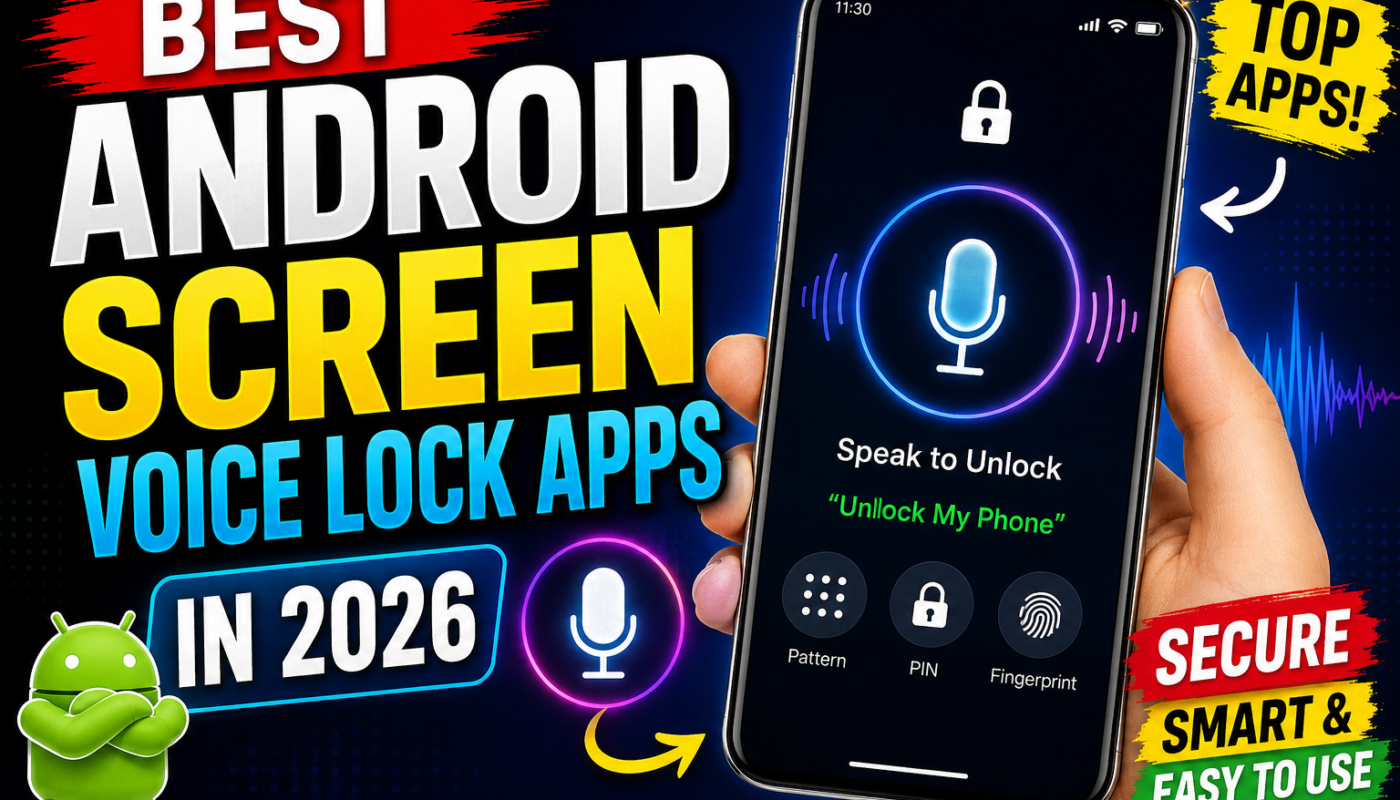
A voice lock app for Android is an application designed to add voice-based unlocking or a voice-command-style lock screen to a smartphone.
Instead of relying only on a traditional pattern or PIN interface, these applications may allow you to create a custom voice phrase and use it as part of the app’s unlocking system.
For example, you might configure a phrase such as:
“Unlock my phone”
When the application recognizes the configured command, it can provide the app’s custom unlock experience.
Different applications implement this feature differently. Some combine voice unlocking with PIN or pattern protection, while others offer additional features such as fingerprint unlocking, dynamic time passwords, custom lock-screen themes, or recovery questions.
Are Voice Lock Apps Really Secure?
This is one of the most important questions to understand.
A third-party voice lock application should not automatically be considered as secure as Android’s built-in screen lock.
Google recommends using a PIN, pattern, or password for Android’s primary screen lock. Google specifically notes that a PIN, pattern, or password can be used to help protect the device and encrypt backups.
Google’s Voice Access documentation also explains that the lock-screen voice functionality is limited: the currently supported Voice Access lock-screen method is PIN unlocking, with additional security measures when entering the PIN by voice.
Therefore, the safest approach is:
Keep your Android system PIN, password, fingerprint, or other supported secure authentication enabled, and treat third-party voice lock applications primarily as a convenience/customization layer.
Best Android Voice Lock Apps in 2026
Below are some of the notable voice lock applications currently listed on Google Play in 2026.
1. Voice Screen Lock: Speak Lock
Voice Screen Lock: Speak Lock is one of the interesting options for Android users looking for a combination of voice commands and alternative lock methods.
The Google Play listing says the app supports voice command, pattern, PIN, and time-based screen locking. It was updated on June 18, 2026, and the listing currently shows a 4.3 rating from more than 1,000 reviews.
Key Features
- Voice command unlocking
- Pattern lock
- PIN lock
- Time-based password
- Custom lock-screen experience
- Multiple unlocking options
- Android phone and tablet support
Why Consider It?
The biggest advantage is flexibility. Instead of depending on only one unlocking method, you can have multiple options available.
The dynamic time-password feature is particularly interesting because the password can be based on the current time and therefore changes regularly.
Best For
Users who want:
- Voice lock
- Time password
- Pattern backup
- PIN backup
- A customizable lock screen
2. Voice Lock Screen and Unlock
Another option is Voice Lock Screen and Unlock, which focuses on combining voice unlocking with traditional authentication options.
Its Google Play description says it supports voice, face, pattern, and password lock features.
Key Features
- Voice-based unlocking
- Face-related lock options
- Pattern lock
- Password lock
- Custom lock-screen experience
- Multiple authentication methods
The application was updated in May 2026, according to its Google Play listing.
Advantages
A major benefit of a multi-method application is that you are not dependent on voice recognition alone.
If voice recognition doesn’t work because of background noise, microphone problems, or another issue, a backup method may be available.
Best For
This type of application can be useful for Android users who want a voice lock plus traditional backup unlocking methods.
3. AI Voice Lock Screen
AI Voice Lock Screen is another recent voice-lock application available on Google Play.
The app’s listing describes AI-assisted voice recognition, customizable wallpapers, personalized lock-screen options, and PIN-based unlocking as additional functionality. It was updated on August 11, 2026.
Key Features
- Voice-based unlocking
- AI voice recognition features
- Custom lock-screen wallpapers
- Personalized lock screen
- PIN support
- Voice-based convenience
Why It Is Interesting
The application targets users who want a more modern-looking voice-lock experience rather than a simple traditional lock screen.
Its emphasis on voice recognition and personalization makes it worth considering for users who enjoy experimenting with newer Android customization applications.
Best For
- Users interested in AI-style voice lock features
- Custom lock-screen enthusiasts
- Android users looking for a modern interface
4. AI Voice Lock Screen: AI Note
Another application listed on Google Play is AI Voice Lock Screen: AI Note.
Its description focuses on unlocking the phone using voice and presents voice locking as a modern way to personalize the Android lock-screen experience. The listing was updated on August 12, 2026.
Main Features
- Voice unlock
- Voice-based screen security
- Personalized lock screen
- PIN-related backup functionality
- Modern voice-lock interface
Who Should Try It?
This application may appeal to users who want to experiment with a voice-controlled Android lock screen while retaining another unlocking method as a backup.
5. SayLock – Voice Lock Screen
SayLock – Voice Lock Screen is another voice-lock option available for Android.
According to its Google Play listing, it includes a security-question recovery option, a voice lock, a draw-to-unlock feature, and a simple user interface. It was updated on July 7, 2026.
Key Features
- Voice lock
- Security-question recovery
- Draw-to-unlock
- Simple interface
- Custom lock-screen experience
Why Choose SayLock?
The recovery feature can be useful if you forget the voice command or encounter voice-recognition problems.
The draw-to-unlock functionality also gives users an alternative interaction method.
Best For
Users who want:
- Voice unlocking
- Recovery options
- Draw-based unlocking
- A simple lock-screen interface
6. Vokey – Voice Screen Lock
Vokey – Voice Screen Lock takes the voice-lock concept a little further by offering voice and clap-based functionality.
The Google Play listing says users can lock, unlock, and find their phone using voice or a clap, including when the phone is on silent.
Key Features
- Voice-based controls
- Clap-based controls
- Phone-finding functionality
- Custom lock-screen experience
- Hands-free interaction
Important Privacy Consideration
The Google Play listing currently indicates that the app may collect personal information, app information/performance data, and device or other IDs. It also states that data isn’t encrypted according to the developer-provided data-safety section.
That makes it especially important to read the application’s privacy policy and Google Play data-safety information before using it for sensitive security purposes.
7. Voice Screen Lock: Voice Lock
Another application called Voice Screen Lock: Voice Lock provides a combination of voice, fingerprint, pattern, and PIN-style unlocking.
Its Google Play listing describes voice unlocking alongside fingerprint, pattern, and PIN features. It was updated on July 30, 2026.
Key Features
- Custom voice command
- Fingerprint support
- Pattern lock
- PIN lock
- Custom lock-screen design
- Multiple unlocking methods
Important Security Note
The developer explicitly describes this as a custom lock-screen experience and recommends keeping the Android system lock enabled for full device-level security.
That is an important distinction.
8. Voice Screen Lock: Pattern and PIN
Another Google Play option, Voice Screen Lock, provides voice unlocking together with pattern and PIN lock functionality.
The listing states that users can lock and unlock the screen with voice while also using pattern and PIN protection.
Features
- Voice lock
- Pattern lock
- PIN lock
- Custom screen-lock experience
- Alternative unlocking methods
Best For
This can be considered by users who want a straightforward voice-lock interface without depending exclusively on voice recognition.
9. Voice Screen Lock App With Time Password
Some newer applications combine voice unlocking with dynamic time passwords.
One current Google Play listing describes a voice screen lock that allows users to use voice-based security options and a generated current-time password. The app was updated on August 13, 2026.
Key Features
- Voice password
- Current-time password
- Custom lock screen
- Voice unlock
- Personalized interface
What Is a Time Password?
A time password is a dynamically generated code based on the current time.
For example, an application might generate a different password every minute. This is conceptually different from using the same PIN repeatedly.
However, users should still understand that a third-party dynamic password is not automatically equivalent to Android’s built-in cryptographic authentication.
Comparison of the Best Voice Lock Apps
| App | Voice Lock | PIN/Pattern | Time Password | Extra Features |
|---|---|---|---|---|
| Voice Screen Lock: Speak Lock | Yes | Yes | Yes | Multiple lock modes |
| Voice Lock Screen and Unlock | Yes | Yes | No | Face-style options |
| AI Voice Lock Screen | Yes | Yes | No | AI-style recognition, wallpapers |
| AI Voice Lock Screen: AI Note | Yes | Yes | Not highlighted | Personalized lock screen |
| SayLock | Yes | Yes/alternative | No | Security question, draw unlock |
| Vokey | Yes | Varies | No | Clap and phone-finding features |
| Voice Screen Lock: Voice Lock | Yes | Yes | No | Fingerprint, custom design |
| Voice Screen Lock | Yes | Yes | Yes | Time-password option |
Feature availability can change as developers update their apps, so check the current Google Play listing before installation.
How Does Voice Screen Lock Work?
A typical third-party voice-lock application works through several stages.
Step 1: Install the Application
Download the application from Google Play and open it.
Avoid installing random APK files from unknown websites, particularly when an application requests sensitive permissions.
Step 2: Create a Voice Command
The application may ask you to create or record a custom phrase.
Choose a phrase that is easy for you to pronounce consistently.
Step 3: Enable the Required Permissions
Depending on the application, you may be asked to provide permissions related to:
- Microphone
- Accessibility
- Display over other apps
- Notifications
- Device administration
- Lock-screen functionality
Always review why each permission is required before allowing it.
Step 4: Configure a Backup Lock
If the application provides PIN, pattern, fingerprint, or recovery-question functionality, configure a backup method.
This is especially important because voice recognition isn’t guaranteed to work in every environment.
Step 5: Test the Lock
Lock your phone and test the voice command several times.
Test it:
- In a quiet room
- In a noisy environment
- With different distances from the phone
- After restarting the phone
- When the phone’s microphone is partially obstructed
Step 6: Keep Android’s Secure Lock Enabled
For important personal information, don’t rely solely on a third-party voice-lock application.
Android’s built-in security should remain your primary protection. Google recommends PIN, pattern, or password screen locks, with a six-digit PIN recommended for additional PIN security.
Voice Lock vs PIN Lock
Voice Lock
Advantages
- Hands-free concept
- Unique and interesting
- Easy to demonstrate
- Customizable
- Can provide additional lock-screen features
Disadvantages
- Voice recognition can fail
- Background noise can affect recognition
- Third-party implementations vary
- Privacy depends on the individual application
- May not replace Android’s secure authentication
PIN Lock
A PIN is one of Android’s standard screen-lock options.
Google recommends using a PIN, pattern, or password for secure screen locking and says that a six-digit PIN or longer is recommended for increased security.
Advantages
- Built into Android
- Doesn’t require microphone access
- Works without voice recognition
- Familiar
- Suitable as a backup method
Disadvantages
- Less futuristic
- Requires manual input
- Can potentially be observed if entered in public
Voice Lock vs Fingerprint
Fingerprint authentication is another standard feature available on many Android phones.
Voice unlocking is attractive because it doesn’t require touching the fingerprint sensor. However, fingerprint authentication generally integrates more deeply with the device’s security architecture than a third-party custom voice-lock application.
For sensitive information, it is better to use the device’s built-in authentication system as the primary security mechanism.
How to Choose the Best Voice Lock App
Before installing a voice lock application, consider these factors.
1. Check Google Play Data Safety
Always check the application’s Data safety section.
Look for information about:
- Data collection
- Data sharing
- Device identifiers
- Personal information
- App activity
- Encryption
- Data deletion
The data-safety information differs significantly between voice-lock applications. For example, some current listings say that no data is collected or shared, while others disclose collection of device or personal information.
2. Look at the Update Date
A recently updated application is generally preferable to an abandoned application, particularly when it interacts with Android’s lock screen.
3. Check Reviews
Don’t look only at the star rating.
Read recent reviews and search for complaints about:
- Unlock failures
- Battery drain
- Ads
- Permissions
- Lock-screen bugs
- Compatibility
- App crashes
4. Make Sure a Backup Method Exists
The best voice-lock app should ideally offer a backup method such as PIN, pattern, fingerprint, or recovery question.
5. Avoid Excessive Permissions
A simple lock-screen application shouldn’t automatically receive every permission it requests.
Understand each permission before granting access.
Advantages of Using Voice Lock on Android
Hands-Free Convenience
Voice unlocking can be useful when your hands are occupied or when you don’t want to touch the screen.
Unique Personalization
A voice command gives your lock screen a different feel from a normal PIN or pattern.
Entertainment Value
Voice lock apps are also popular because they make interesting technology demonstrations for TikTok, YouTube Shorts, Instagram Reels, and other social platforms.
Multiple Authentication Options
Many modern voice-lock applications combine voice with PIN, pattern, fingerprint, or other methods.
Disadvantages of Voice Lock Apps
Voice Recognition Isn’t Perfect
Recognition can be affected by:
- Background noise
- Poor microphone quality
- Different pronunciation
- Distance
- Language/accent differences
- Software limitations
Privacy Concerns
Voice-related applications may request microphone access or other permissions. Always check the developer’s privacy information and Google Play data-safety section.
Third-Party Lock Screens Are Different From Android Security
This is perhaps the most important limitation.
A visually impressive lock screen does not necessarily mean the phone’s underlying security has been replaced by a stronger authentication system.
Google’s official Android documentation continues to recommend standard device screen locks such as PIN, pattern, and password.
Can You Unlock Any Android Phone With Your Voice?
Not necessarily.
Voice unlocking depends on the Android version, phone manufacturer, application, permissions, and the way the particular application implements its lock screen.
Some apps create a custom lock-screen interface, while others use voice functionality alongside existing Android security.
Google’s own Voice Access documentation states that only PIN unlocking is currently supported for unlocking through Voice Access.
Therefore, claims such as “every Android phone can be completely unlocked by voice” should be treated cautiously.
Can Voice Lock Work Without Internet?
This depends on the application.
Some voice recognition features can work locally, while others may depend on Android’s speech-recognition services or other components.
You should check the individual application’s documentation and test it with Wi-Fi and mobile data disabled before assuming that it works completely offline.
Is Voice Lock Better Than Fingerprint?
For convenience, some users may prefer voice unlocking.
For primary device security, however, it is better to rely on the authentication methods supported directly by Android and your phone manufacturer.
A practical setup can be:
Primary security: PIN/password/fingerprint
Optional customization: Third-party voice lock
This gives you the convenience of a voice-lock experience without abandoning the phone’s standard security mechanisms.
Tips for Creating a Good Voice Password
If you decide to use a voice-lock application, don’t choose an extremely obvious phrase.
Avoid phrases such as:
- “Open phone”
- “Unlock”
- “My phone”
- Your name
- Your birthday
Instead, choose a phrase that is:
- Easy for you to pronounce
- Difficult for others to guess
- Consistent every time
- Not publicly associated with you
Also configure a strong backup PIN or password.
Is Voice Lock Safe for Banking Apps?
A third-party voice-lock application should not be considered a replacement for the security mechanisms used by your banking application.
Banking apps generally use their own authentication and device-security mechanisms.
For sensitive activities such as banking, passwords, private documents, and account recovery, keep your Android device protected with its built-in secure lock.
Frequently Asked Questions
What is the best voice lock app for Android in 2026?
There isn’t one universally best app because different applications focus on different features. Voice Screen Lock: Speak Lock, Voice Lock Screen and Unlock, AI Voice Lock Screen, SayLock, and Vokey are among the current Google Play options worth comparing.
Are voice lock apps free?
Many voice-lock applications are available to install for free, although some may include advertisements, optional purchases, or premium features.
Always check the current Google Play listing before installing.
Can I use voice lock and fingerprint together?
Some third-party voice-lock applications advertise support for both voice and fingerprint functionality. For example, one current listing specifically describes voice, fingerprint, pattern, and PIN options.
However, the exact behavior depends on the phone and application.
What happens if voice recognition doesn’t recognize me?
Use the application’s backup method if available, such as PIN, pattern, fingerprint, or recovery question.
This is why a backup authentication method is extremely important.
Does Android officially support voice screen unlocking?
Android provides voice-related accessibility and assistant features, but third-party “voice lock screen” applications are not the same thing as a universal Android system voice-unlock feature.
Google’s Voice Access documentation currently says that the lock screen supported by Voice Access is PIN unlocking.
Is a voice lock more secure than a PIN?
Not necessarily.
A third-party voice lock may be convenient, but Android’s standard PIN, pattern, and password mechanisms are the recommended foundation for device security.
Can I install a voice lock on an old Android phone?
Compatibility depends on the application and Android version.
Always check the Google Play listing for supported devices and Android versions.
Does voice lock drain battery?
Potentially. Applications that continuously monitor or frequently use the microphone can have a greater effect on battery life than a normal lock screen.
The actual impact depends on how the application is implemented.
Can voice lock work in a noisy environment?
Recognition may become less reliable in noisy environments.
For that reason, users should always maintain a backup unlocking method.
Should I download voice lock APKs from random websites?
It is safer to obtain applications from reputable official app stores and verify the developer, reviews, permissions, and data-safety information.
Avoid unknown APK sources, especially for applications designed to control access to your phone.
Best Overall Recommendations
If your priority is voice commands plus multiple lock methods, consider Voice Screen Lock: Speak Lock because its current listing includes voice, PIN, pattern, and time-password options.
If you want voice plus fingerprint, PIN, and pattern, Voice Screen Lock: Voice Lock is another option to investigate. Its developer specifically recommends keeping Android’s system lock enabled for full device-level security.
If you want a modern AI-style voice lock, AI Voice Lock Screen is worth checking because its current listing highlights AI voice recognition and lock-screen customization.
If you want voice plus recovery and draw-to-unlock features, SayLock – Voice Lock Screen is an interesting alternative.
If you’re interested in voice and clap-based controls, you can investigate Vokey, but pay particular attention to its current data-safety information before using it.
SEO Keywords for Android Voice Lock
This article naturally targets keywords such as:
- Best voice lock app for Android
- Best Android voice lock apps 2026
- Voice screen lock Android
- Voice unlock app for Android
- Android voice password lock
- Voice lock screen app
- Android screen voice lock
- Best voice lock screen app
- Voice lock APK alternative
- Voice unlock Android phone
- AI voice lock Android
- Free voice lock app
- Voice password Android
- Voice screen lock 2026
- Android lock screen apps
- Best Android lock apps
- Speak to unlock Android
- Voice command lock screen
- Android voice security
- Voice-controlled lock screen

Final Conclusion
Voice screen lock applications are an interesting way to customize the Android lock-screen experience in 2026. Apps such as Voice Screen Lock: Speak Lock, Voice Lock Screen and Unlock, AI Voice Lock Screen, SayLock, Vokey, and Voice Screen Lock: Voice Lock offer different combinations of voice commands, PINs, patterns, fingerprints, recovery options, time passwords, and customization.
However, users should distinguish between a third-party voice-lock interface and Android’s built-in device security. For important personal data, Google recommends using a secure Android screen lock such as a PIN, pattern, or password.
The best approach is therefore to enjoy voice lock as a convenience and customization feature while keeping a strong system-level authentication method enabled.
If you’re looking for a voice lock for a TikTok or YouTube tutorial, Voice Screen Lock: Speak Lock and similar apps with voice + PIN/pattern features can be especially interesting because they provide several visible features to demonstrate.